
What is hybrid storage?
A hybrid storage array uses two kinds of drive together: solid-state drives (SSDs), which are fast but cost more per terabyte, and hard disk drives (HDDs), which are slower but much cheaper for large amounts of data.
The storage system decides which data sits on which drives. Busy, frequently used data goes on the SSDs, and the rest stays on the hard drives. Users and applications just see one pool of storage.
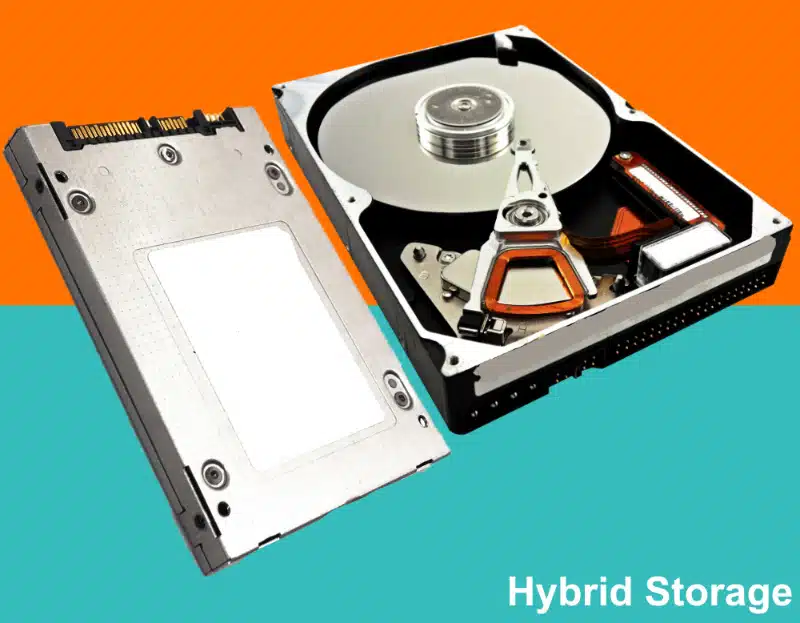
How hybrid storage works
Hybrid arrays use two main techniques, often together:
- SSD caching: copies of the most-used data are kept on SSDs so reads are fast. The original data stays on the hard drives.
- Automated tiering: the system moves data between SSDs and hard drives in both directions, based on how often it's used. Hot data moves up to flash, and cold data moves down to disk.
Many hybrid systems also offer snapshots, replication and thin provisioning, like all-flash systems.
Hybrid storage isn't hybrid cloud. Hybrid storage mixes SSDs and hard drives in one system. Hybrid cloud mixes your own on-site systems with public cloud services. See our hybrid cloud guide if that's what you're looking for.
Need more capacity without paying all-flash prices? Tell us about your data and we'll size a hybrid system for you.
Get a storage quote →Hybrid vs all-flash storage
| Hybrid storage | All-flash storage | |
|---|---|---|
| Drives | SSDs and hard drives | SSDs only (often NVMe) |
| Speed | Fast for busy data, slower for the rest | Consistently fast for all data |
| Cost per terabyte | Lower | Higher |
| Capacity | Very high, at lower cost | High, at higher cost |
| Best for | File shares, backups, mixed workloads, large data sets | Databases, virtual machines, latency-sensitive apps |
Need the fastest storage for everything? See all-flash and NVMe storage.
When hybrid storage makes sense
- You have lots of data, but only a small part of it is busy at any time
- Budget matters more than top speed for every workload
- You run file shares, backups, video, CCTV or archives alongside some busier systems
- You want one system for both performance and capacity, rather than two
Types of hybrid storage
- Hybrid SAN arrays: block storage for servers and virtualisation, over Fibre Channel, iSCSI or SAS. See SAN storage.
- Hybrid NAS: file storage for teams and applications. See NAS storage.
- Unified hybrid arrays: block and file storage in one system, such as Lenovo's ThinkSystem DM5000H.
Hybrid storage we supply
We supply hybrid storage from leading vendors, including current Lenovo ThinkSystem hybrid arrays such as the DM5000H and the DE6400H and DE6600H. We'll recommend the right system and drive mix for your data and budget.
Not sure whether hybrid or all-flash is right for you? We'll compare both for your workload.
Talk to a storage specialist →Hybrid storage FAQs
What is hybrid storage?
A storage system that combines SSDs and hard drives, putting busy data on fast flash and the rest on lower-cost disk.
Is hybrid storage slower than all-flash?
For data held on the SSDs, it can be very fast. Data on the hard drives is slower. All-flash is consistently fast for everything, but costs more per terabyte.
What is automated tiering?
The storage system moving data between SSDs and hard drives automatically, based on how often it's used.
What's the difference between caching and tiering?
Caching keeps copies of busy data on SSDs while the original stays on disk. Tiering moves the data itself between SSDs and disk.
Is hybrid storage the same as hybrid cloud?
No. Hybrid storage mixes SSDs and hard drives. Hybrid cloud mixes on-site systems with public cloud services.
Can you supply hybrid storage in the UK?
Yes. We supply hybrid storage arrays to UK businesses. Call 01256 331614 or ask for a quote.
Current Lenovo hybrid models from Lenovo Press product guides for the DM5000H, DE6400H and DE6600H.
