
eEVOS a VMware alternative
eEVOS is a feature-rich hypervisor designed for organisations that need a reliable, proven solution with simplified management and deployment.
It is designed to run on new or legacy hardware, and provides a high-performance hypervisor layer to deliver virtual machines.
You manage it through a simple, intuitive web-based GUI, with user-friendly wizards that guide you step by step through various processes. It can reduce cost by replacing VMware vSphere.
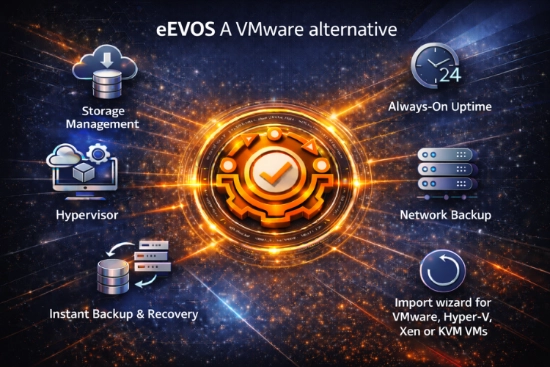
Value points of eEVOS as a VMware alternative
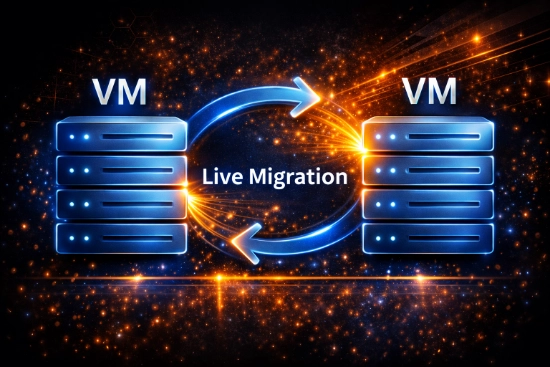
- Live migration. Move virtual machines between servers with no downtime.
- Linux support. A wide range of Linux distributions, which benefits cloud providers and software houses that use open-source libraries.
- Server mirroring between two servers.
- High availability (HA). Failover support in case of physical hardware failure, in multi-node clusters.
eEVOS: developed by euroNAS for Windows or Linux based systems
A critical value point: eEVOS is designed as a hypervisor application using Debian Linux. It supports several guest operating systems, including Microsoft solutions from Windows 7 through to Windows Server 2022 and many Linux distros, including Red Hat, CentOS and Ubuntu.
Hypervisor
Delivers your virtual machines and containers.
Backup
Deduplicated backup and recovery built in.
Storage management
Software-defined storage managed alongside your VMs.
eEVOS also improves the performance and manageability of a guest operating system in an eEVOS virtualisation environment, like VMware Tools in a VMware infrastructure.
What management tools does eEVOS offer similar to vSphere?
Choosing a VMware alternative hypervisor can be challenging because the platforms have similar features. All of them provide centralised management for streamlined virtualisation administration, so you can oversee all your VMs from one place, regardless of location.
| eEVOS | VMware vSphere | |
|---|---|---|
| Management model | Decentralised: each node is autonomous | vCenter Server for centralised management, plus ESXCLI |
| Live migration | Live Migration, no downtime | vMotion, no downtime |
| High availability | Restarts VMs on other servers after a node failure | Restarts VMs on other servers after a node failure |
| Thin provisioning | Supported | Supported |
| Storage IO control | Supported | Supported |
| Virtual TPM 2.0 and VBS | Supported | Supported |
| Licensing | Perpetual licence | Subscription |
Transitioning to eEVOS as a VMware alternative is a simple and intuitive process
eEVOS VM Import Wizard. It facilitates the migration of VMware VMs and automatically injects paravirtual drivers, enhancing compatibility and performance without manual intervention.
Live Migration (eEVOS) / vMotion (VMware). Both platforms offer seamless migration of VMs between servers without downtime, called “Live Migration” in eEVOS and “vMotion” in VMware.
Planning a move away from VMware?
Tell us about your environment and we will talk you through what a migration to eEVOS would involve.
Benefits of eEVOS
High availability. eEVOS and VMware both keep downtime to a minimum by automatically restarting VMs on other available servers if a node fails.
Thin provisioning. Both support it, allowing more efficient storage use. Storage space is allocated as needed, which prevents over-allocation and inefficient use of storage resources.
Storage IO control. Fair distribution of storage resources is crucial in some environments. Both platforms provide tools that stop any single VM overwhelming the storage system, so performance stays stable and predictable across all VMs.
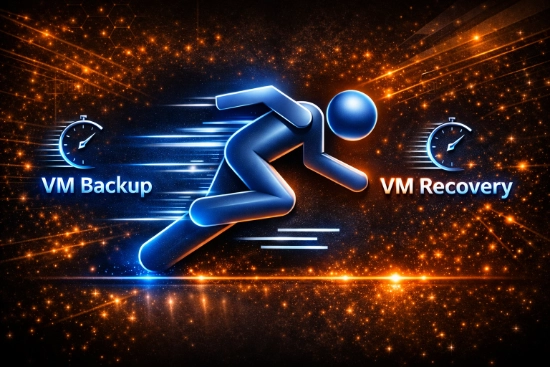
Advanced backup and recovery features
Deduplicated network backup
Stores only unique data blocks, which significantly reduces storage space and network load. That suits enterprises managing large volumes of data.
Instant backup and recovery
Immediate backup and recovery of data, critical for minimising downtime and disruption in emergency recovery scenarios.
Third-party backup solutions
An “external backup” feature places backups in a special folder so third-party backup vendors can pull VMs without copying live VMs, keeping backups safe and consistent.
File-level recovery
Recover individual files from backups and restore specific files quickly, without reverting an entire VM.
VMware also provides backup solutions, often through integration with third-party products. While effective, these can add licensing and management overhead.
Disaster recovery functionality
eEVOS includes disaster recovery (DR) functionality designed to support business continuity with minimal data loss. It copies VMs regularly to a different eEVOS installation at a remote site, which matters for organisations that need robust continuity plans. The DR process includes bandwidth throttling, so administrators can set how much bandwidth it uses and avoid overwhelming the internet line, and all data transfers are encrypted.
Off-site disaster recovery
The off-site DR feature allows asynchronous or scheduled replication of VMs to remote locations. That secures your data and preserves the entire VM configuration, so recovery can be rapid after a disaster.
- Maximum data protection by replicating VMs to remote locations.
- Automated DR processes with asynchronous or scheduled replication.
- Fast recovery during a failure or disaster, maintaining business continuity.
High availability and server mirroring
An eEVOS cluster supports multi-node configurations, and it also provides high availability and server mirroring with just two nodes. That is a cost-effective way to protect business continuity, because the simpler setup avoids the complexity and expense of larger configurations.
Hear how enterprises are exiting VMware from the source
In this conversation, the CEO of euroNAS explains how organisations are replacing VMware with eEVOS to reduce licensing cost, simplify operations and strengthen cyber resilience.
Management and node equality
VMware uses vCenter for centralised management. eEVOS takes a decentralised approach in which each node is autonomous. This design simplifies the network architecture, can improve resilience and reduces cost:
- Simplified operations. No central management software, so less setup and maintenance complexity.
- Reliability and scalability. New nodes can be integrated without central reconfiguration.
- Cost-effectiveness. Less financial burden from additional management software and licensing fees.
File systems, snapshots and clones
File systems. eEVOS uses Oracle Cluster Filesystem (OCFS2), a high-performance, proven filesystem designed for storage clusters that need quick access to shared disk resources over a network. OCFS2 supports reflinks, which create file snapshots and clones without copying the entire data set. That saves significant storage space and makes data management more efficient, which helps in dynamic environments. It also includes journaling, which helps prevent data corruption after a system failure. VMware uses the VMware File System (VMFS), a high-performance cluster filesystem designed for virtual machines.
Cluster-aware snapshots
A VM snapshot works on any node, even if the file is in use on another node. You can create snapshots of your VMs and run them on a different node from the original.
VM clone
Create a fully independent clone of a VM in its current state. It references the original's data blocks, so it needs much less disk space, yet remains independent. The original can be deleted at any time and the clone can run on any server.
Security features
- Virtual TPM 2.0. eEVOS and VMware both support it, adding hardware-level encryption capabilities that help protect sensitive data and secure VMs against unauthorised access.
- Microsoft Virtualisation-Based Security (VBS). Both support this set of security features, which matters to enterprises that adhere to high security and compliance standards.
Licensing and cost management

eEVOS
- A perpetual licensing model, which removes recurring fees and gives cost predictability.
- The licence is not fixed to the hardware, so it can be transferred or upgraded to newer hardware later.
- Each licence comes with three years of support, including software upgrades. You can extend support beyond that, and the software keeps operating if you do not.
- Features such as mirrored storage, storage IO control, live migration and integrated backup come without additional licences or subscriptions.
VMware vSphere
- Sold on a subscription basis that needs annual renewals.
- Costs can change at renewal, which means ongoing budget allocation for IT.
Summary
VMware vSphere has been the market leader, catering for small organisations and large enterprise environments. vSphere and eEVOS have similar feature sets, and both offer network virtualisation, VM migration, storage migration and NIC teaming.
eEVOS takes an all-in-one approach, combining virtualisation, storage and backup in a single integrated solution, with high availability, efficient resource management and disaster recovery features to protect against downtime and data loss.
Thinking about replacing VMware?
Tell us what you run today, how many hosts and VMs you manage, and what your renewal looks like. We will talk you through whether eEVOS fits and what a move would involve.
Prefer email? Write to solutions@data-storage.uk.
