
Menu
In an age where security is paramount, having a reliable method to store and review your CCTV footage is crucial. Enter the Network Video Recorder (NVR), the unsung hero of modern surveillance systems. These powerful devices play a vital role in ensuring that you have access to high-quality video recordings whenever needed. Whether you're monitoring your home or managing multiple business locations, understanding how NVRs work can enhance your security strategy significantly. An NVR stores CCTV footage that can played back, stored and used later for example in a court case.
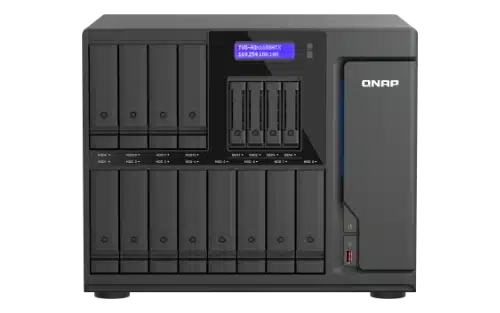
An NVR, or Network Video Recorder, is an essential component in modern CCTV systems. Designed to manage and store video footage from IP cameras, it leverages your network for seamless operation and can store footage easily with hundreds of camera models supported.
There are two types of NVR one is a dedicated NVR that works with the CCTV camera manufacturer, but these offer limited scalability and don’t provide a full feature set and typically sit at the budget end of the market.
The other type of NVR which is aimed at the professional end of the market supports multiple camera brands, 200 camera brands, supporting 8,000+ IP cameras, it has advanced storage and replication capabilities as well as 2FA support.
Unlike traditional DVRs that rely on analog signals, NVRs work with digital data. This allows for enhanced image quality and flexible camera placement throughout a facility.
NVRs can connect directly to the internet, enabling remote access through smartphones or computers. Users can view live feeds or recorded videos from anywhere around the globe.
This technology supports multiple channels simultaneously. It means you can monitor various locations without compromising performance.
In essence, an NVR provides robust storage solutions while ensuring high-quality surveillance capabilities. Its integration into security setups enhances both reliability and efficiency.
An NVR, or Network Video Recorder, operates by receiving video data over a network. Unlike traditional DVRs that work with analog cameras, NVRs manage IP camera feeds directly.
When a CCTV camera captures footage, it compresses and encodes the video stream. This digital signal is then transmitted through your local area network (LAN) to the NVR.
Once received, the NVR stores this data on internal hard drives or connected storage solutions like QNAP NAS devices. The recorded footage remains accessible for viewing at any time.
NVRs also allow remote access via smartphones or computers. Users can monitor live feeds and playback recordings from anywhere with internet connectivity.
Moreover, many modern NVR systems support advanced features such as motion detection alerts and cloud backup options. These capabilities enhance security management beyond simple recording functions.
When it comes to choosing an NVR, variety is key. Different types cater to various needs and budgets.
Standalone NVRs are popular for small businesses or homes. They come with integrated hardware and software, making setup straightforward. Just plug in your cameras, and you're good to go.
For those needing more power, rack-mounted NVRs fit the bill. These models can handle multiple channels and often provide advanced features suitable for larger installations.
Cloud-based NVR solutions have gained traction due to their remote access capabilities. Users can view footage anywhere at any time without relying solely on local storage.
QNAP NAS devices also serve as excellent network video recorders, providing robust storage options alongside additional functionalities like media streaming or data backup and the ability to store CCTV footage to the cloud.
By subscribing to the affordable QNAP myQNAPcloud Surveillance cloud storage, users can back up the surveillance videos to the cloud and meet rigid regulatory requirements for archiving videos.
By installing QVR Center, you can manage up to 256 surveillance servers and 16,384 camera channels at the same time. 16 video failover groups are also supported. If any surveillance server within the group is knocked offline, other surveillance servers within the group can take over the video recording.
When choosing an NVR, ensure it supports your specific CCTV camera resolution. Higher resolutions like 4K/8K require adequate storage and processing power.
Consider the number of channels. An NVR with multiple channels allows you to connect several cameras simultaneously without compromising performance.
Look for built-in analytics features. Advanced motion detection and facial recognition using AI can enhance security by minimising false alarms and improving monitoring efficiency. AI smart search further supports the search for people, colour of clothes, colour of cars, and license plates.
Storage capacity is crucial too. Opt for models that offer expandable storage or support external devices like QNAP NAS units to accommodate long-term video retention.
User-friendly software plays a significant role in your experience. Intuitive interfaces simplify navigation, while mobile app compatibility ensures remote access anytime, anywhere.
Check for backup options. Reliable systems should provide cloud integration or automatic backups to safeguard footage against hardware failures or other issues.

Using an NVR for storing CCTV footage offers numerous advantages that enhance security systems. First, it provides centralised management of video streams from multiple cameras. This makes monitoring and accessing footage much simpler
NVRs also support high-definition recordings, ensuring clarity when reviewing incidents. They accommodate various camera types, including IP cameras, which deliver superior image quality compared to traditional analog systems.
Scalability is another significant benefit. As your surveillance needs grow, upgrading storage or adding more cameras becomes seamless with an NVR solution. Additionally, many models offer advanced features like motion detection and remote access via mobile devices.
Data redundancy is crucial in security applications. Many NVRs support RAID configurations or cloud backups to protect against data loss. This ensures that vital evidence remains secure even if hardware failures occur.
The user-friendly interfaces found in modern NVRs simplify navigation and playback of stored footage, making it easier for users at all levels of technical expertise to manage their surveillance effectively.
When considering alternative storage options for CCTV footage, cloud storage is a popular choice. It offers scalability and accessibility from anywhere with an internet connection. Many providers offer encryption features, ensuring sensitive data remains secure.
Network Attached Storage (NAS) devices are another solid option. They provide centralised access to video files while allowing multiple users to connect simultaneously. Brands like QNAP NAS have specialised solutions tailored for CCTV applications.
External hard drives can also serve as a straightforward backup solution. They’re cost-effective and easy to set up but may lack the redundancy found in other systems
Some businesses opt for hybrid solutions that combine local storage with cloud backups. This approach ensures immediate access to footage while providing off-site safety against potential disasters or thefts of on-premises equipment. Each method has its advantages depending on specific needs and budgets.
The importance of a Network Video Recorder (NVR) in modern CCTV systems cannot be overstated. As security needs evolve, so do the technologies that support them. An NVR serves as a central hub for storing and managing video footage from multiple CCTV cameras, ensuring that critical information is captured, preserved, and easily accessible.
With various types of NVRs available on the market today—ranging from basic models to advanced systems with extensive features—the right choice can significantly impact your security setup. It's essential to know what key features to look for when selecting an NVR, such as storage capacity, scalability options like QNAP NAS integration, ease of use, and compatibility with existing CCTV cameras.
Using an NVR for storing CCTV footage offers numerous benefits. Enhanced video management capabilities streamline access to recordings while providing robust data protection through redundancy and backup options. This reliability makes it easier than ever to safeguard your premises against potential threats.
While there are alternative storage solutions available for CCTV footage—such as Direct Attached Storage (DAS) or cloud-based services—they may not offer the same level of efficiency or control that an NVR provides.
Investing in a quality network video recorder enhances surveillance efforts and contributes significantly to overall safety and peace of mind.
As a specialist QNAP partner talk to us about your CCTV storage requirements and help us store your footage.
